


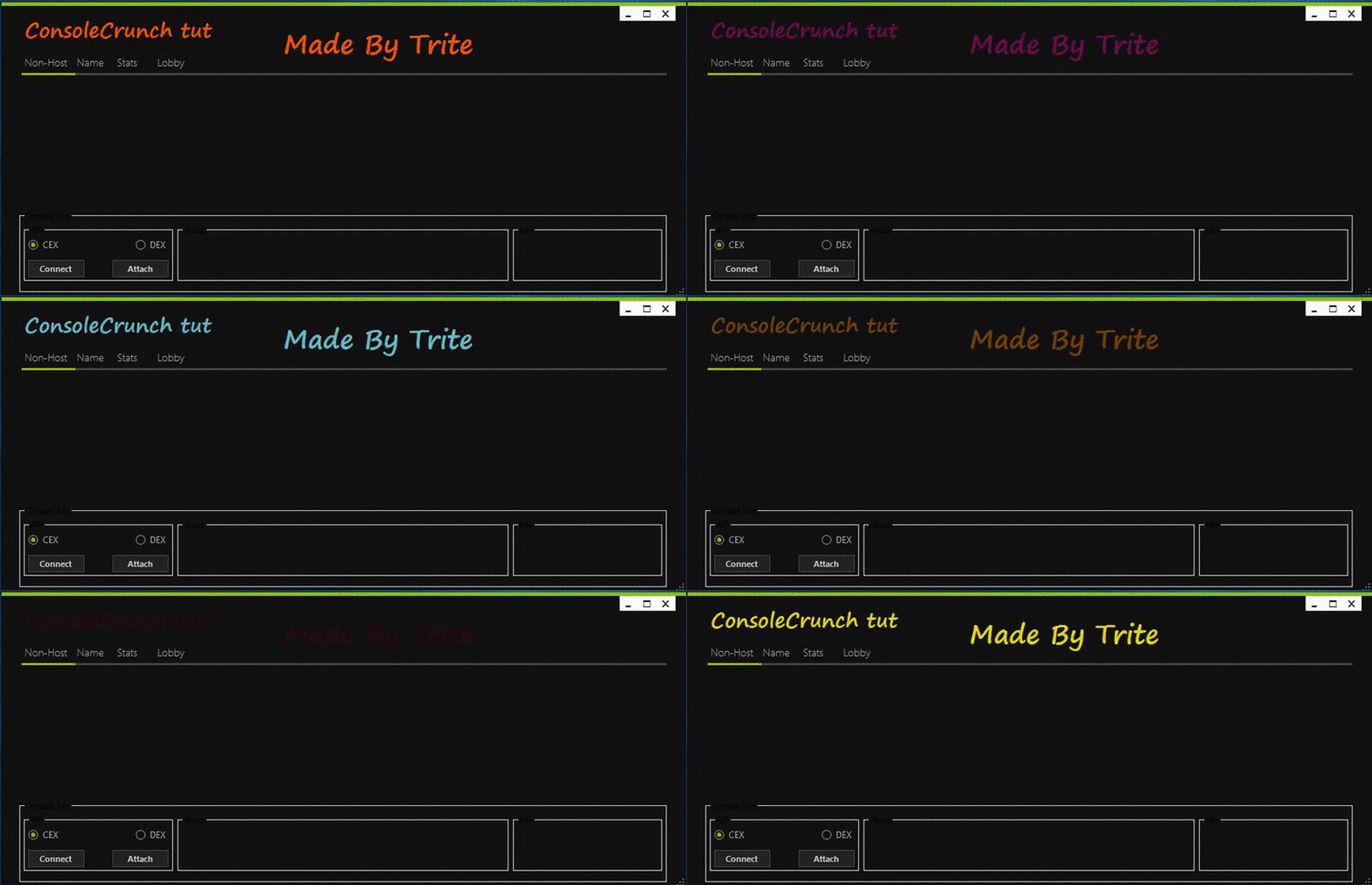
Whats up cc, today I'm giving you a little text tutorial on how to get a flashing label on a c# forum.
Like so:
First: Add a Timer and a Label to your forum.
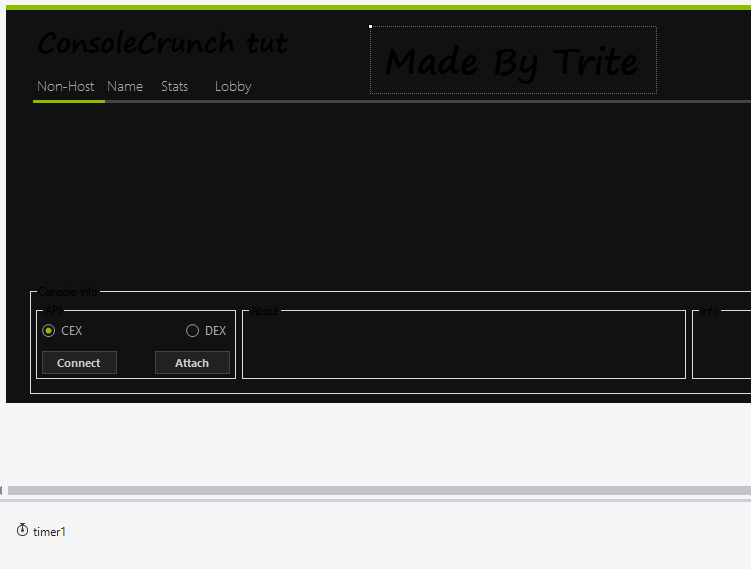
Now that you have that, edit your text to your liking.
After you have adjust it double click the "X" in the top right of your forum.
(or any blank space on the forum)
It will bring you to some code.
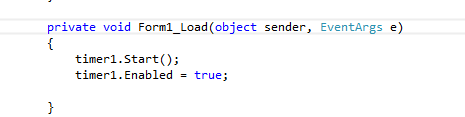
Inside the brackets add the following code,
timer1.Start();
timer1.Enabled = true;
You should be looking like this now:
Now go back to your form and double click your timer.
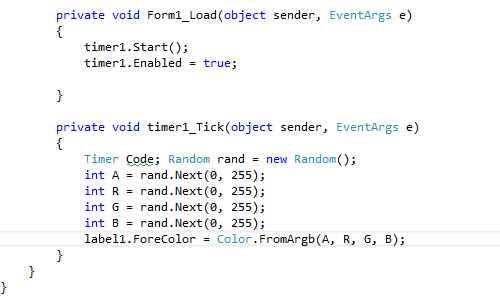
Inside the brackets paste the following.
Timer Code; Random rand = new Random();
int A = rand.Next(0, 255);
int R = rand.Next(0, 255);
int G = rand.Next(0, 255);
int B = rand.Next(0, 255);
label1.ForeColor = Color.FromArgb(A, R, G, B);
Should be like this now!!
Now when you run your project your text will be flashing!
Its not complicated so you shouldn't need help doing it.
Hope ya'll enjoyed
Like so:
First: Add a Timer and a Label to your forum.
Now that you have that, edit your text to your liking.
After you have adjust it double click the "X" in the top right of your forum.
(or any blank space on the forum)
It will bring you to some code.
Inside the brackets add the following code,
timer1.Start();
timer1.Enabled = true;
You should be looking like this now:
Now go back to your form and double click your timer.
Inside the brackets paste the following.
Timer Code; Random rand = new Random();
int A = rand.Next(0, 255);
int R = rand.Next(0, 255);
int G = rand.Next(0, 255);
int B = rand.Next(0, 255);
label1.ForeColor = Color.FromArgb(A, R, G, B);
Should be like this now!!
Now when you run your project your text will be flashing!
Its not complicated so you shouldn't need help doing it.
Hope ya'll enjoyed


 Thanks for sharing!