


Thought I bring you this, Guys. I believe it was postet but I couldn't find it. So here ya'll Crunchers go!
Things You will Need
1. Rebug Toolbox
2. FileZilla
3. Photoshop, Paint, or a photo-editing program
4. RCOmage (http://www.mediafire.com/download/z4llie0115e4ka9/rcomage-v1.1.0_repack.rar)
https://www.virustotal.com/de/file/...9e6bc9355041cb8dc7f60258/analysis/1405435865/
Tutorial
1. Open up Rebug ToolBox, on your PS3 and navigate to "dev_rebug/vsh/resource/xmb_plugin_normal.rco , and drag this to your desktop.
2. Start RCOmage and use these settings
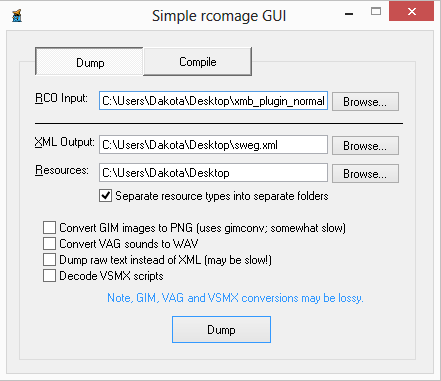
3. Hit Dump and it should dump fairly quickly
4. You should get two folders and a .xml file, open up the images folder and find tex_psn.gim , then move it to the GimConv folder inside the RCOmage
5. Now hit shift + Ctrl + right click and then click Open Command Window here. Then type this into the CMD, "gimconv tex_psn.gim -o tex_psn.png" No quotes. Then hit enter.
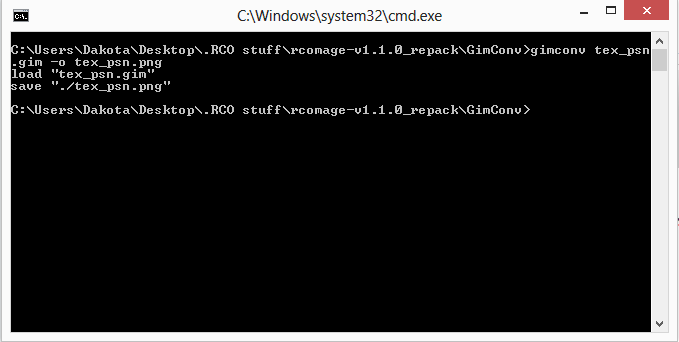
6. No you can open it up in Photoshop or paint or whatever photo editor you are using, im going to open it in Photoshop and we are going to turn it green so it goes with my custom lines.qrc
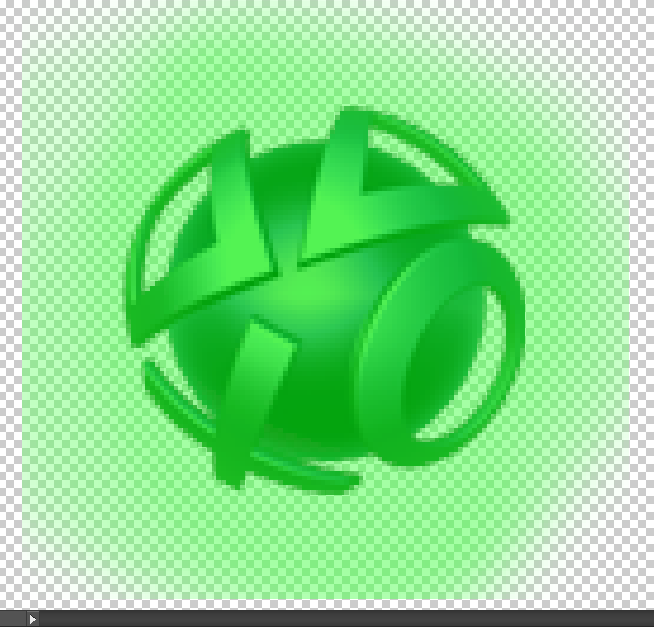
7. Once you have that done, save it then open up CMD inside GimConv again
8. This time type this "gimconv tex_psn.png -o tex_psn.gim" with out quotes again
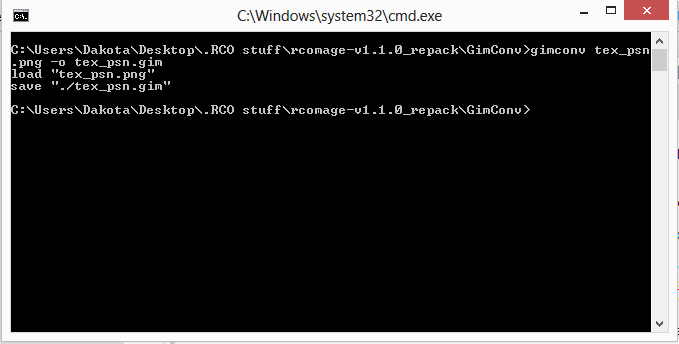
9. Now that we have it saved, put the .gim file back into the images Folder then open up RCOmage, and click the Compile tab & make set it up as is(according to your files ofcourse)
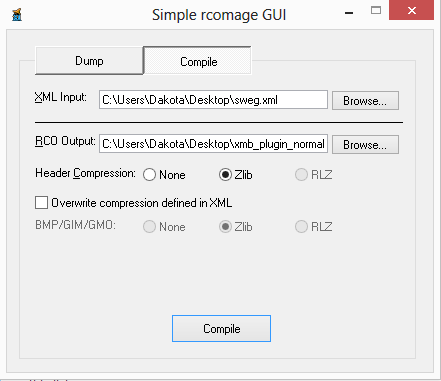
10. Hit compile, should take about 5 seconds, then you can transfer your file back over, and restart your PS3, and you should have a custom PSN Logo color
I am not responsible for Bad luck Brians. Remember, if you temper with systemfiles, you can alwas get a expensive paperweight. Anyways it does work and with charm. So happy customizing, Crrrrunchas!
EDIT: here are some plug-ins Enjoy: https://www.dropbox.com/s/4qi5z38a7ltawgs/Coloured XMB.rar
Things You will Need
1. Rebug Toolbox
2. FileZilla
3. Photoshop, Paint, or a photo-editing program
4. RCOmage (http://www.mediafire.com/download/z4llie0115e4ka9/rcomage-v1.1.0_repack.rar)
https://www.virustotal.com/de/file/...9e6bc9355041cb8dc7f60258/analysis/1405435865/
Tutorial
1. Open up Rebug ToolBox, on your PS3 and navigate to "dev_rebug/vsh/resource/xmb_plugin_normal.rco , and drag this to your desktop.
2. Start RCOmage and use these settings
3. Hit Dump and it should dump fairly quickly
4. You should get two folders and a .xml file, open up the images folder and find tex_psn.gim , then move it to the GimConv folder inside the RCOmage
5. Now hit shift + Ctrl + right click and then click Open Command Window here. Then type this into the CMD, "gimconv tex_psn.gim -o tex_psn.png" No quotes. Then hit enter.
6. No you can open it up in Photoshop or paint or whatever photo editor you are using, im going to open it in Photoshop and we are going to turn it green so it goes with my custom lines.qrc
7. Once you have that done, save it then open up CMD inside GimConv again
8. This time type this "gimconv tex_psn.png -o tex_psn.gim" with out quotes again
9. Now that we have it saved, put the .gim file back into the images Folder then open up RCOmage, and click the Compile tab & make set it up as is(according to your files ofcourse)
10. Hit compile, should take about 5 seconds, then you can transfer your file back over, and restart your PS3, and you should have a custom PSN Logo color
I am not responsible for Bad luck Brians. Remember, if you temper with systemfiles, you can alwas get a expensive paperweight. Anyways it does work and with charm.
So happy customizing, Crrrrunchas!EDIT: here are some plug-ins
Enjoy: https://www.dropbox.com/s/4qi5z38a7ltawgs/Coloured XMB.rar
Last edited:


